



Like Android, iPhone and iPad are also tracking devices. They track your exact whereabouts by default, and though you can turn it off, you will be surprised how much data they still store. However, saving your location data is not bad, so far, it does not end up in the wrong hands. With your location history, it will be easy to remember places you have visited in the past. Also, you can use it to prove you are in a particular location if there is a doubt.
There is a reason smartphone makers store your location data. Of course, they give you the option to turn it off, but whether it works 100 percent is a story for another day. For Android users, finding your location history is easy, and since it is enabled by default, you can check it out via this link.
To find your location history on an iPhone is also straightforward. Often, it is enabled by default, so you probably have all your location data saved on your device. You only need to find where they are stored before you can leverage it for whatever reason.
Why is your location history on the iPhone and iPad useful?
iOS stores your data for different reasons. For one, make better recommendations based on your current location. In addition, to remind you in the future of the places you have visited. Interestingly, you can leverage the data to prove you are in a particular location when there is a doubt.
- Prove your location: With your whereabouts data, you can prove the place you were at a particular time. It can be crucial when you are arguing with your spouse about the places you were at a time.
- Memories: When you visit famous sites or travel to a particular location, your location history will remind you of these places and bring back those good memories.
- Recommendations: Based on your location data, iOS can make better recommendations. Maybe the type of ads displayed on your device or places you might want to visit.
Unfortunately, iOS does not collect as much data. They are only interested in important places you visit, and hence, you might miss some details if you only use Apple location history data. On the other hand, Google Maps stores everything, and here is how to view those details.
How to find your location history on iPhone and iPad
Luckily, location history on your iPhone and iPad are enabled by default. Unless you turned it off, you can use the steps below to check the places you have been to.
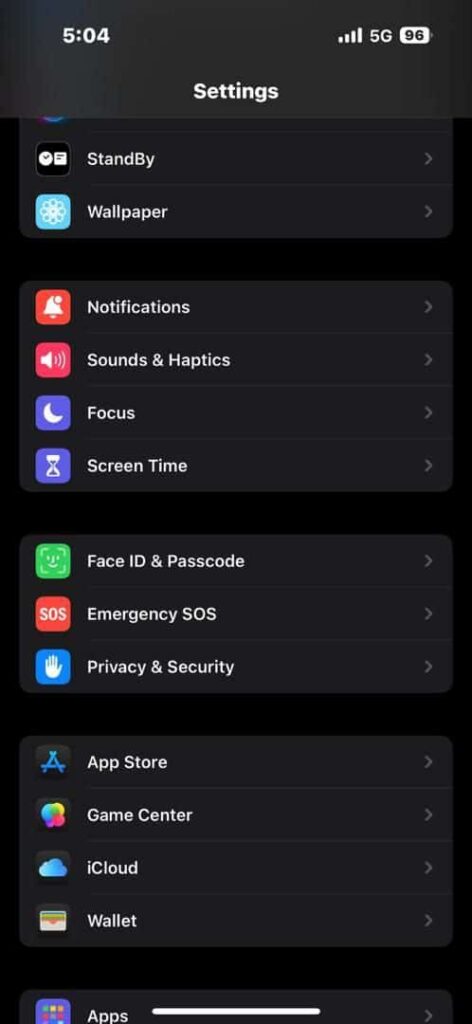
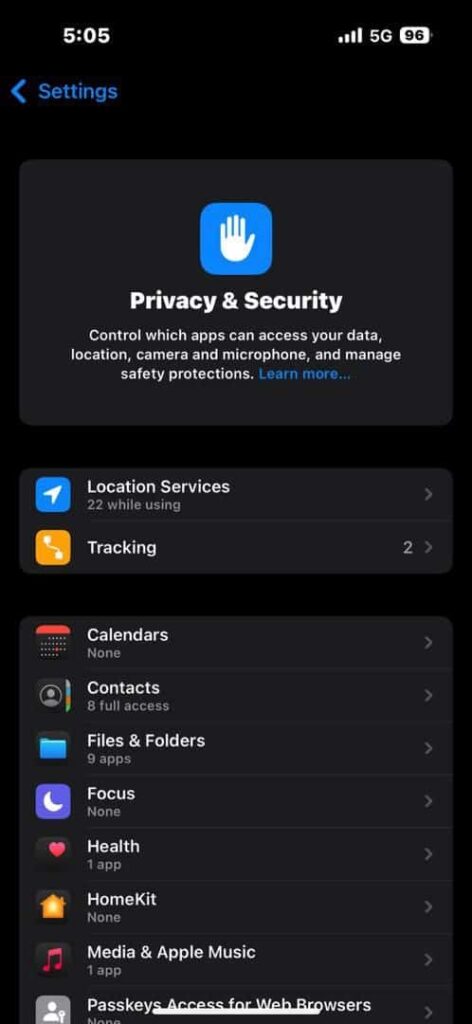
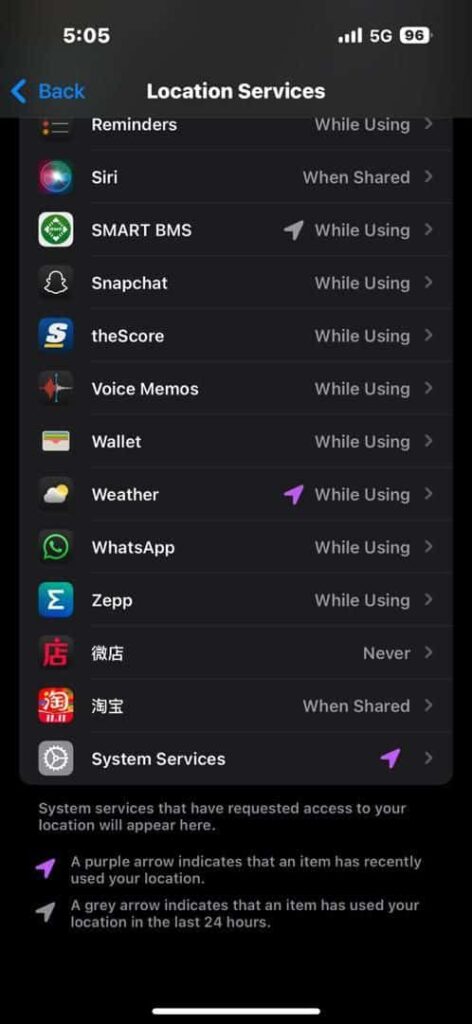
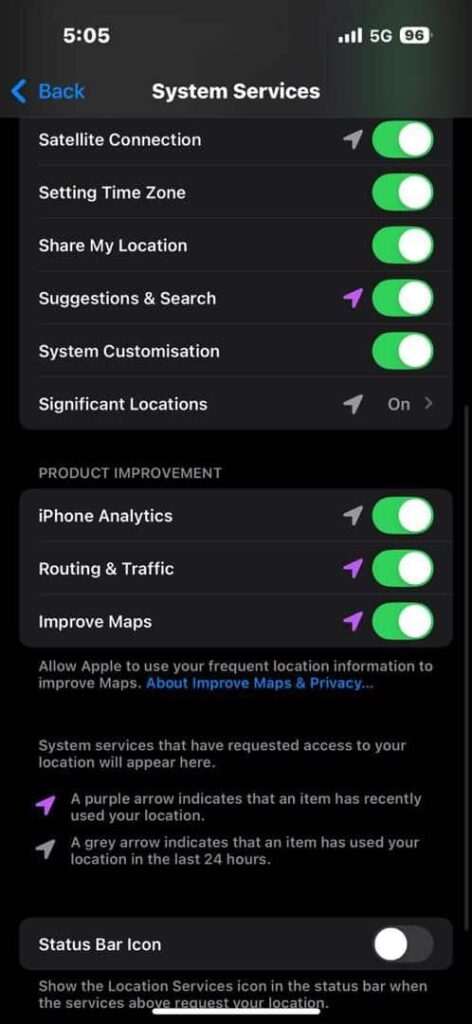
- Launch the Settings App
- Head to Privacy & Security
- Tap Location Services and then System Services
- On the next screen, select “Significant Location” and confirm your PIN.
Both Recent Records and a Summary section will be displayed. They have information about your previous locations. On the detailed view, you will see the time of your visit and the mode of transportation alongside the date. Perhaps, if you are not comfortable with Apple tracking and storing your data, you can disable “Significant Locations.” After that, tap “Clear History” to wipe all the already stored data of your whereabouts.
