



Telegram has become one of the popular social media platforms. Many now use the app for daily conversations with their partners, families, friends, and co-workers. Unlike WhatsApp, you can have a Telegram account on more than one phone without linking the two, making it easy to spy on someone’s Telegram account without them knowing.
Since you can have a telegram account on multiple phones, it is easy to monitor your children’s activities on the app. In addition, if you are worried about your spouse’s sudden change in attitude, you might monitor to see what is happening, and for your employees, it makes it easy to ensure they are productive.
If you are looking for the best spy app for Telegram, the answer is Telegram. Yes, the best way to spy on someone’s Telegram account without them knowing is by using the Telegram app. Since the app is free, you do not have to pay for a subscription to use it, unlike spy apps. However, there are steps needed before you can successfully monitor someone’s account.
How to spy on someone’s telegram account
Before you can spy on someone’s Telegram account using the same app, you need access to their Telegram account. The code to access the account will be sent to them, and you need it to complete the process.
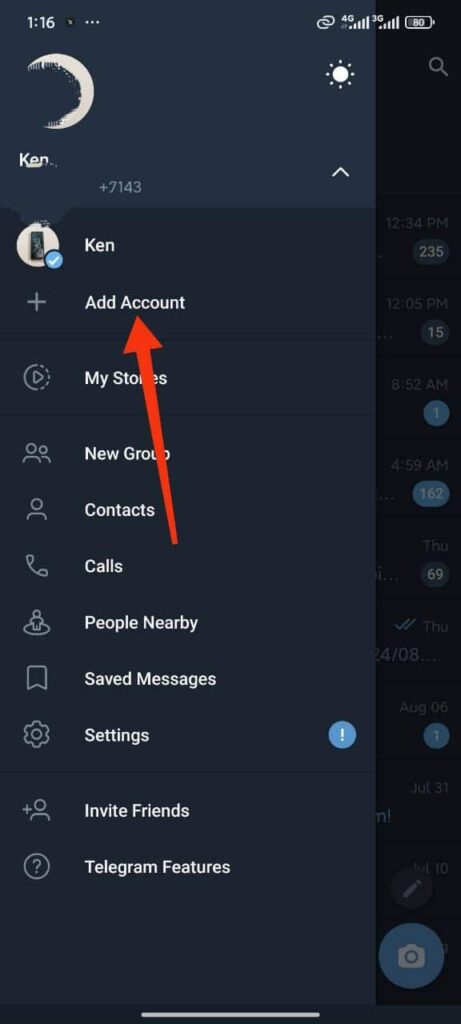
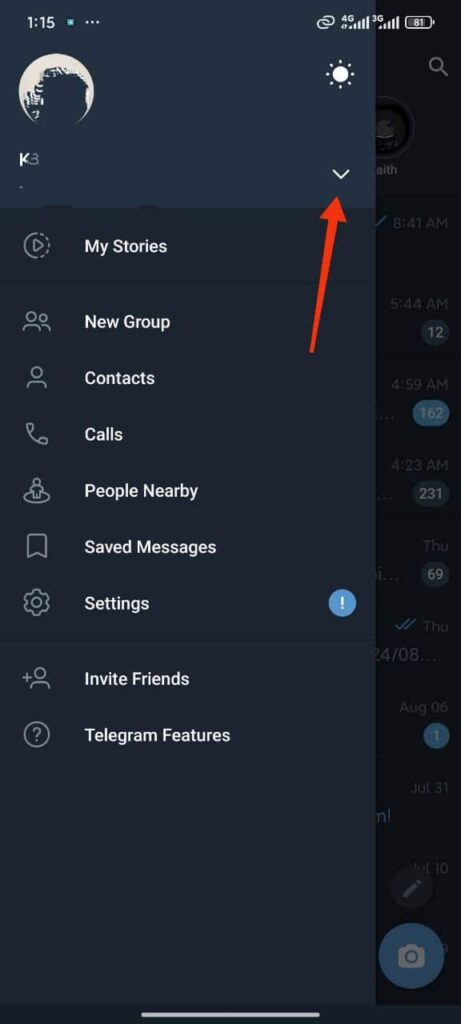
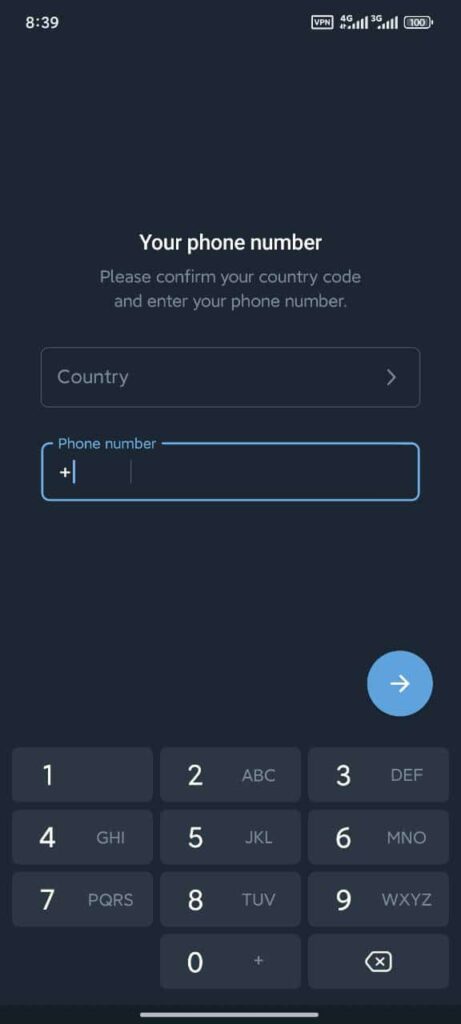
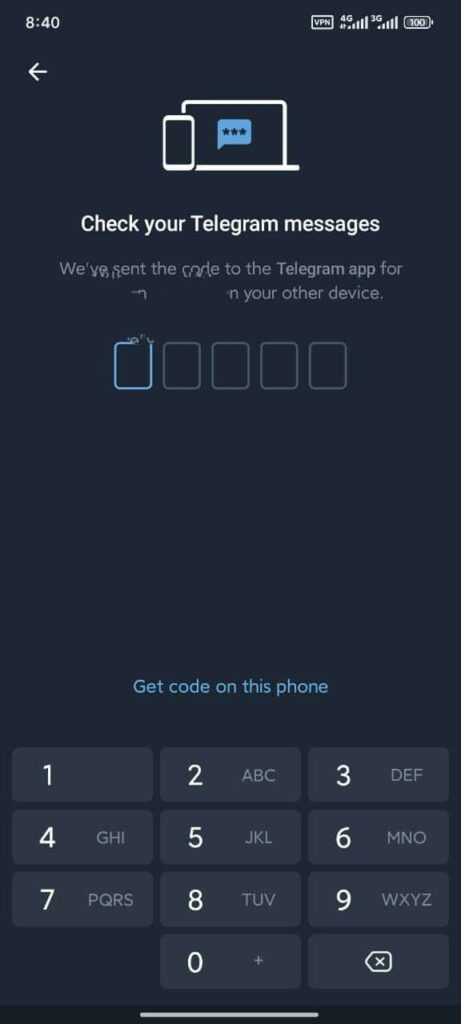
- Launch the Telegram app on your device and click on Start messaging
- If you have an account already, tap on the three lines at the top left
- Click on the drop-down arrow below your profile picture
- Tap Add an account
- You need to enter the person’s phone number (make sure it is the phone number they are using for Telegram)
- After typing in their phone, click the next arrow at the bottom
- A message with the code will be sent to the person’s account. Get the code and enter it to complete the process
- Depending on the reason you want to monitor the Telegram account, you might delete the message.
After you have successfully added the Telegram account to your device, you will be able to see all sent and received messages. In addition, you will have access to photos and videos, but once they are deleted, you cannot access them. Perhaps using this method to monitor your kid’s Telegram account means you can miss out on some things unless you are always monitoring them.
However, there are ways to see who your kids or partner is chatting with on Telegram, even with their messages deleted. You will also see the groups they interact with. On their Telegram account, click the search icon at the top right corner. Under chats, you will see all the accounts they have been interacting with. You can move to other tabs to see what is going on, however, they can always delete it.
Of course, there is a way to view deleted messages and multimedia. However, you need a paid spy app to do that. These apps are capable of monitoring any telegram account while making sure you do not miss any details by keeping screenshots of deleted files.
The best Telegram spy apps in 2026; monitor your child’s telegram account
There are many spy apps on the internet, but only a few can monitor Telegram efficiently. If you are a parent looking for how to monitor your child’s activity on the app, you can use any of the spy apps listed below. Of course, you can monitor a Telegram account using the Telegram app, but deleted messages cannot be retrieved, unlike when you use a spy app.

mSpy: Still the best spy app on the internet and works fine when used to monitor Telegram. It can access messages; sent and received messages, media files, and contacts. In addition, mSpy keeps a copy of all the deleted messages, meaning you do not have to monitor them in real time. These deleted files are captured and uploaded to your dashboard, where you can log in to view all the activities of the targeted device.
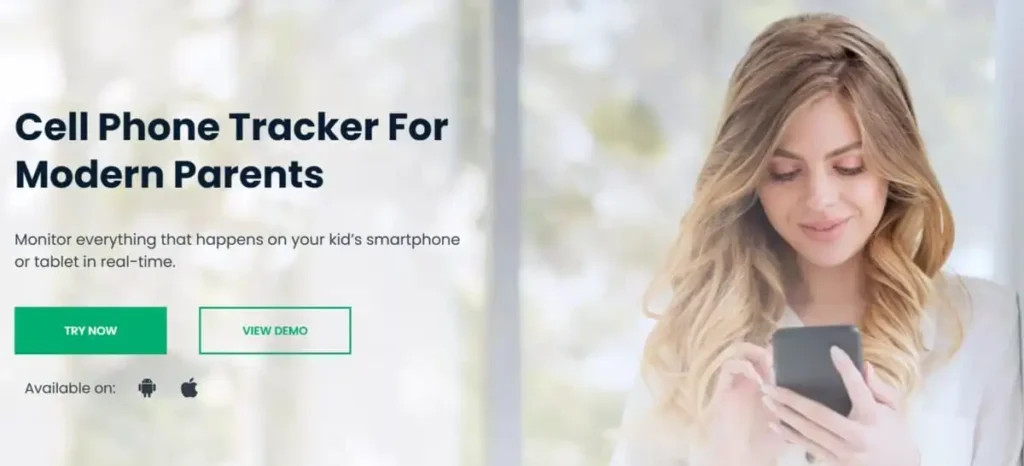
uMobix: Another Telegram spy app to consider in 2024. The app is easy to install and works on all operating systems, meaning you can use it on your PC. It works in stealth mode, making it hard to detect. With uMobix, you will not miss any details when monitoring a Telegram account. The app supports streaming, meaning you can trigger the target’s device camera and microphone remotely.

EyeZy: With EyeZy, you can focus on other important things while the app does the monitoring for you. All details are uploaded to your dashboard where you can log in to see all the target device activities. The app has Magic Alert, which alerts you when the target device is searching or chatting about something inappropriate. You can add these words to your filter to get an alert when they are used or searched for.
Meanwhile, depending on the app you choose, you will pay a fee before installing it on the target device. Of course, you need access to the target device to install the app. Unfortunately, some of the apps do not work on iPhones. We recommend using the Telegram app to monitor someone’s account as it works on all devices.
Conclusion
Telegram is now popular and anything you can think of is accessible on the app. Adult content is on the app, and you should be worried if your child is using the app. You should ensure they are using it correctly, and since the app does not have a parental control feature, you should monitor your child’s account using any of the methods listed above. We recommend using a Telegram app, as you will not be asked for a subscription fee.
