


Android is a tracking device, and with the built-in GPS, it can track your location in real-time. Although there are ways to turn off tracking on Android, you are never sure your data is safe, because the system still finds a way to save some of your location data. We understand that sometimes, you do not want your device to track you, which is where spoofing your location on an Android phone becomes necessary.
Spoofing on Android allows you to manipulate the location data available to your device. When you want your device to believe you are in a different location, you can use this technique to deceive it. You can hide your IP address and, more interestingly, unlock any geo-restricted content, maybe on Netflix or Hulu.
What are the reasons to spoof your location on Android?
Even when you turn off all location access on your Android phone, it still finds a way to get some of your data. Spoofing your device feeds it wrong data, and here are other reasons you might want to spoof your Android.
- Privacy and security: We all want to be anonymous on the internet, but that cannot be possible unless we spoof our location. This makes sure even your device cannot track your precise location. Additionally, a local ISP cannot track your browsing history.
- Restricted Content: Some websites and streaming platforms limit their content to particular locations. Of course, when you spoof your location and connect to servers in other regions, these services will become available to you.
What are the best ways to change location on Android?
The beauty of Android is that it lets you do almost anything with a tap of a button. And yes, it allows you to stop location tracking but not spoof your location. Doing that on Android is not straightforward, and you need a third-party app, a VPN.
VPN: Virtual Private Network remains the easy way to change your location on Android. There are many available on the internet capable of providing servers from different regions. You can choose one today to start enjoying private connections.
Spoofing App: You might need to tweak some things on your phone. Installing apps like that means you will become a developer, but it gets the job done, so why not?
Change your location on Android using a VPN
A VPN ensures you remain anonymous on the internet. It does this by creating a digital tunnel between your device and a virtual server. This creates an encrypted network connection. Additionally, it hides your browsing history, so that your ISP or the website you access cannot track you.
VPN allows you to connect to a server hosted across the globe. Depending on availability, you can pick any location of your choice. However, these geographical locations are limited to the free version, but they do the basics, which is to spoof your location.
We will recommend Windscribe VPN. A free VPN, though there’s a paid version. The latter has enough servers to successfully spoof your location. However, you only get 10GB every month, and hence, it might be ideal if the reason for spoofing your location is to access geo-restricted content.
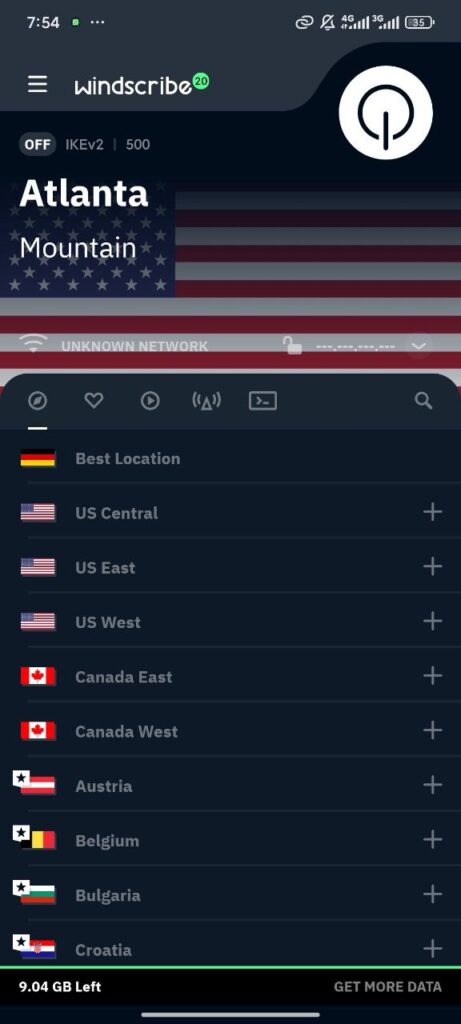
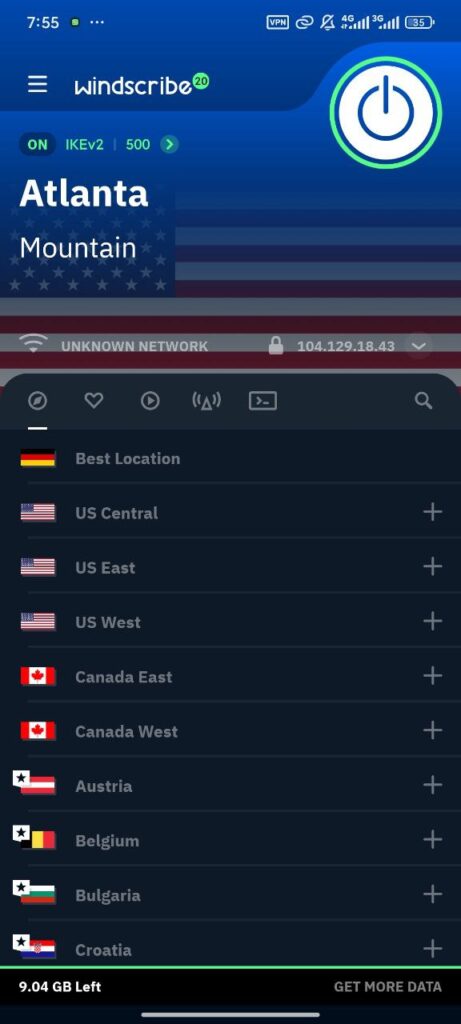
- You can download the app from the Google Play Store
- Once that’s completed, launch and register an account using your email
- Once that’s done, you will see a list of available locations
- Tap on the + icon to expand the list and select your preferred server. Note, some servers are free while others are paid – find the free ones unless you want to pay.
Spoof your Android phone using a Spoofing app
Many apps on the Play Store allow you to spoof your location. Perhaps you don’t want to encrypt your internet connection, but to change your location. We recommend installing the Fake GPS Location Spoofer. You can download it using this link.
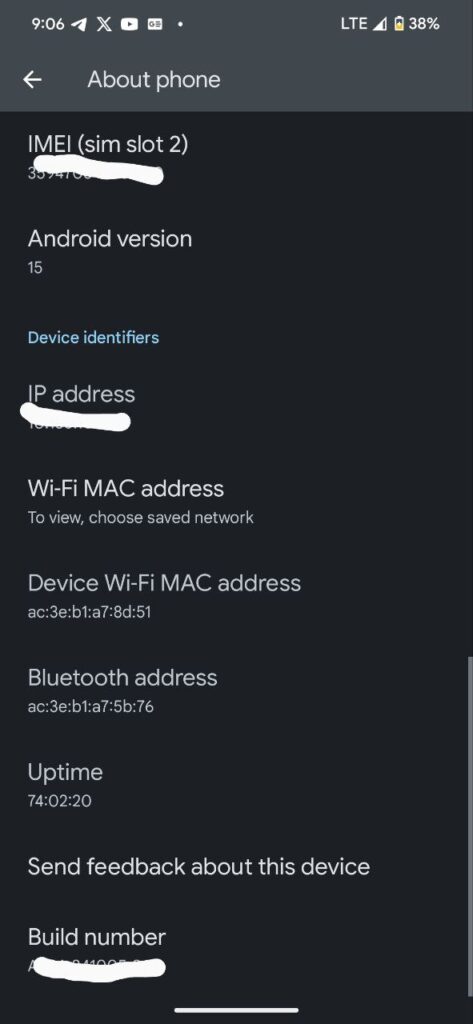
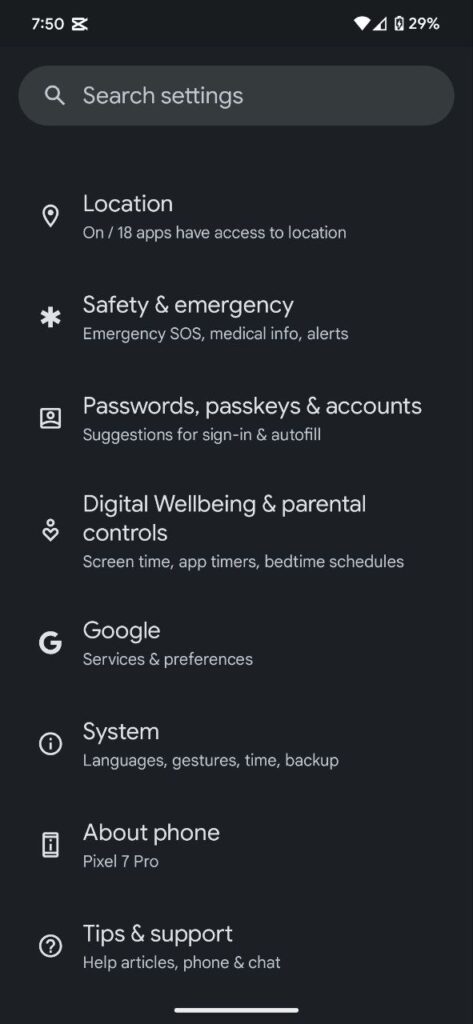
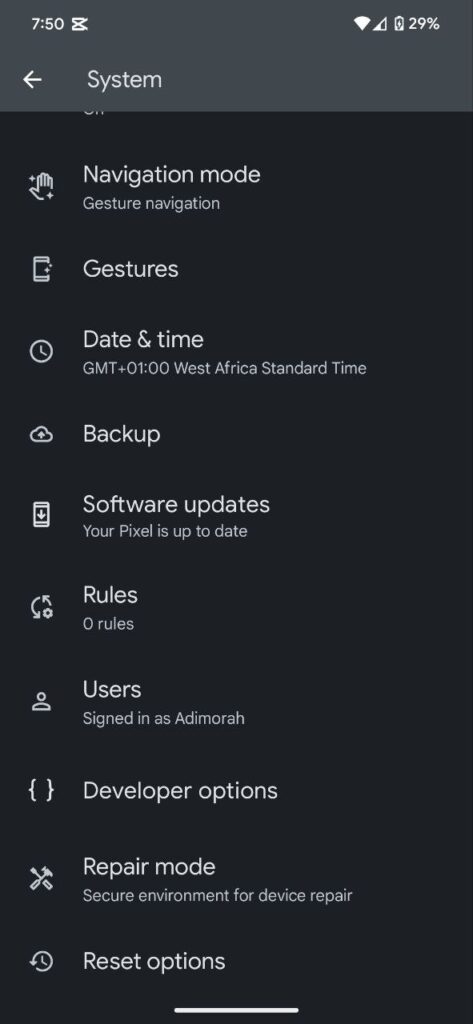
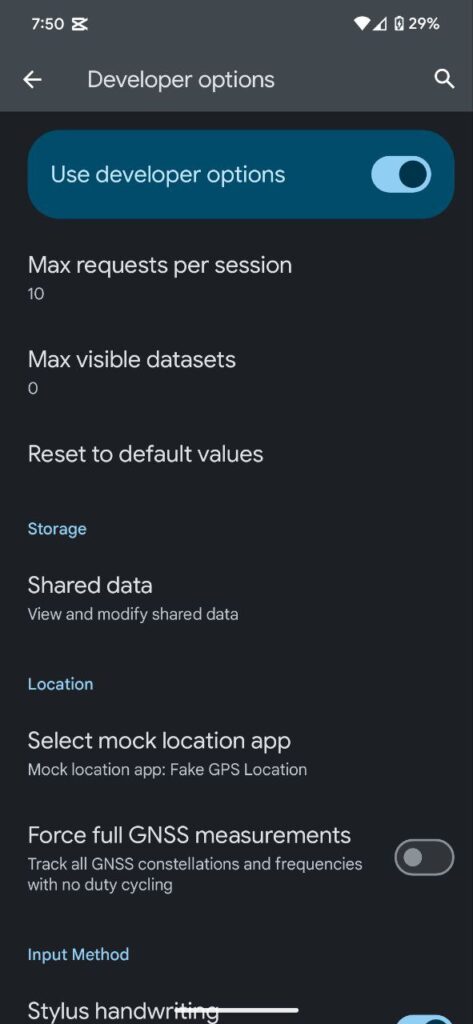
After installing the app on your Android device, follow the steps below to change your location.
- Step 1. Enable Developer options: Head to your phone Settings and scroll down to About Phone. Tap on it, and then scroll to Build number. You have to tap on it multiple times until you become a developer.
- Step 2. Go back to Settings, then System>>Developer options. Depending on your device, it might be Settings >>Developer options.
- Step 3. Scroll down and Select Mock Location App Settings. Select the Fake GPS Location you installed
- Step 4. Launch the app and choose the location you want. You might be asked to allow location access; tap Allow.
How to stop spoofing your location on Android
If you are using a VPN, you can stop location spoofing by turning the connection off. You might need to open the app and click on the switch button in the top right corner. Those using a Spoofing app need to reveal their notification center and tap stop or pause.
