


As a parent, you will always want to make sure that your child is safe, and being able to know their location is one way of making sure of that. While tracking and finding your kid’s location is easy since they’re likely to consent to that, it might be hard to track a cheating pattern with the same method.
With kid’s consent, you can track and find their location using Google Maps. You can also set a location on the Maps to let you know when they arrive or leave at a particular area. However, tracking your spouse might be a different situation, as most times, you would not get consent, and you might want to do it without them knowing.
Luckily, there are many ways to track and find someone’s location without them knowing. They are different from using Google Maps and require a subscription fee. In this guide, we will show you the tools you can use to track someone without them knowing.
Before we proceed, let’s look at the difference between using Google Maps and Spy apps to track someone:
- Tracking someone with Google Maps is free, but you pay to use Spy apps to track someone’s location.
- You can track multiple people at the same time using Google Maps. With Spy apps, you might track a few people simultaneously.
- There is no location history using Google Maps, but some Spy apps give you the target person’s location history.
- You will need an Active GPS to track someone’s location with Google Maps, while Spy apps don’t need location enabled.
- Google Maps sends notifications to the target device that they are being tracked, while Spy apps work in stealth mode.
- With Google Maps, you can only see the real-time location of your target device. However, with Spy apps, you can see social media activities and call history. Some of the app supports keyloggers, website bookmarks, and others.
Having discussed the difference between Google Maps tracking, if you are interested in tracking and finding someone’s location, we recommend Google Maps. However, if you want to track social media activities and know the person’s location history, we recommend a spy app.
What you can do with Spy apps
- Real-time location and location history
- Videos and photos on the target phone gallery
- Track social media activities
- Keylogger
- Browser history
- Call history
- SMS message
- Emails
- Newly added contacts
- Website bookmarks
Before you choose a Spy app, it’s necessary to know that you will have to pay for the tool. You will need access to the target phone to install the app, and some features like keylogger might require rooting or jailbreak.
However, with a Spy app, you can monitor someone’s location without their knowledge. To track location, you do not need to enable GPS, and you get real-time information and location history.
How to use Spy apps to track and find someone’s location without them knowing
If you want to use a Spy app, we recommend mSpy. The tool has all the features you need to get the job done, and it works in stealth mode, but you will need to manually install the app on the target device before you can start tracking.
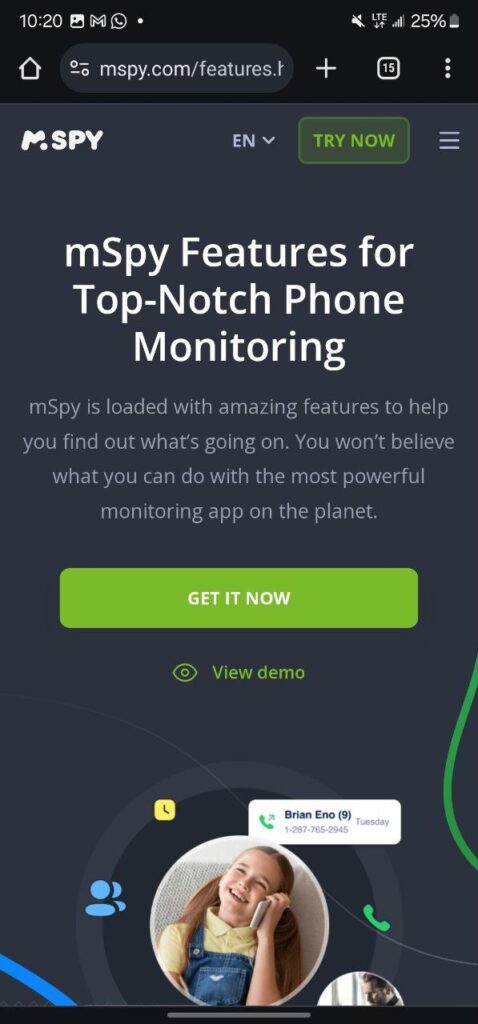
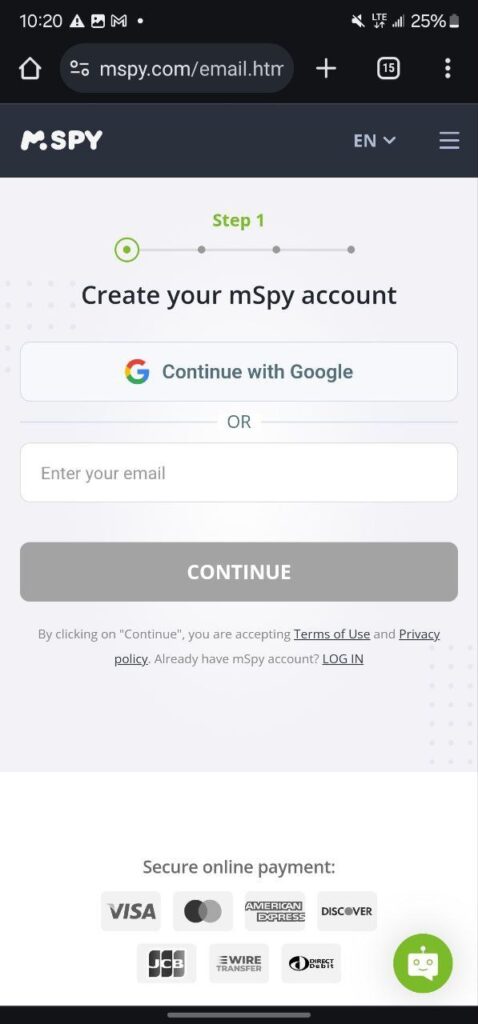
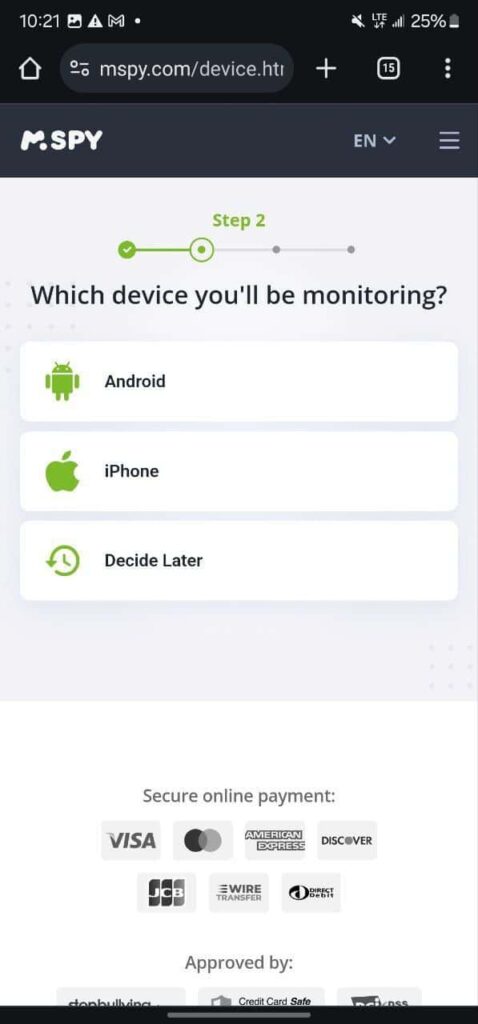
- Step 1. Visit the official mSpy website and select ‘Try now’ in the top right corner.
- Step 2. Create a mSpy account, or you can continue with your Google account.
- Step 3. Select the device you will be monitoring, Android or iPhone. There’s an option to decide later.
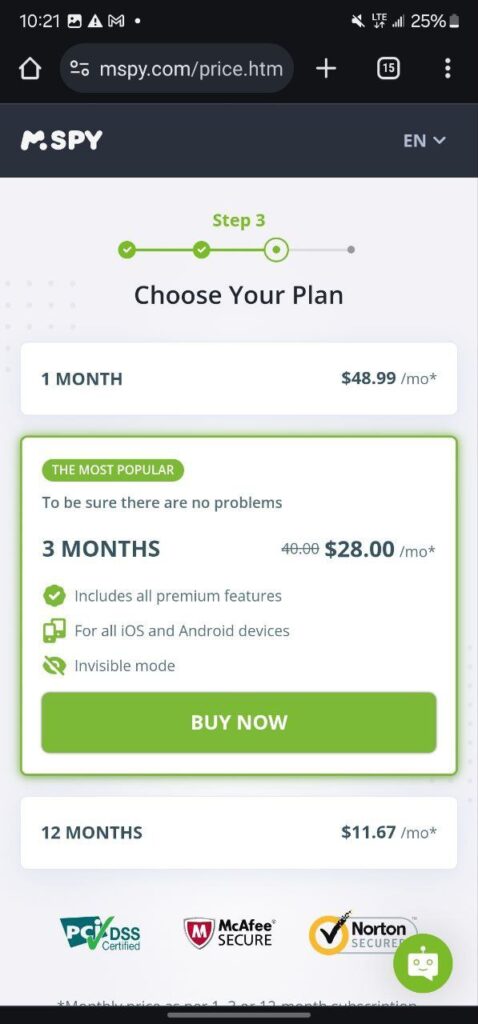
- Step4. Select a subscription plan and tap on ‘Buy Now’ to be directed to the payment page.
- Step 3. Enter your card details and click on ‘submit order.’
- Step 4. You will get an email from mSpy if your order is successfully on how to install the app.
- Step 5. Follow the installation guide on the email and install the app on the target device.
How to start tracking someone after installing the mSpy app
- Log in to mSpy and go to your dashboard
- Tap on ‘GPS Location,’ and you will see all the person’s location entries under ‘List View.’
- Tap on ‘View on Google’ to view their location on Google Maps.
- If you want to know when the target device leaves a particular location, you can use the Geo-Fencing feature.
Other apps track someone’s location without them knowing
While mSpy gets the job done, it can be difficult to install it on a target device, especially when you don’t have access to the phone. However, there is an app that tracks someone’s location with just their mobile number.
Yes, you can track someone’s location using just their mobile number. However, you will need to send a message that will make them click on a particular link attached to the message you will send to them.
There’s an option to use a default message, and we recommend Localize. mobi. You don’t need an app, but you need to create an account using your email. After that, you will see where to input the mobile phone number you want to track the location. Send a location request to the target device, and you will receive their exact location in your email. You can view it on Google Maps through your dashboard.
Conclusion
Tracking someone without them knowing works when you use the Spy app since they work in stealth mode. We recommend mSpy and Localize. mobi. Google Maps is a decent alternative, but you need the target device to accept your request before you can track them.
