



With the recent changes on the internet and how social media works now, it is not surprising to see many people looking to fake location on Snapchat. This ensures privacy and keeps online trolls and stalkers away from their real-life locations.
Like many social media apps, Snapchat uses the map to suggest friends or show people around your location. While this feature can be used to maintain close relationships with friends and family, it also allows someone to monitor your whereabouts.
Interestingly, the Snapchat location feature is precise and can pinpoint your current location on the map. Since people can monitor their friends’ movements using this feature on Snapchat, we understand why you probably want to fake your location on the app. Luckily, you can do that with a third-party app or turn off location on the app.
Why should your fake location on Snapchat
Bypass restrictions: Snapchat has some features exclusive to a particular location. For instance, changing your location on Snapchat can help bypass some filter restrictions.
Withholding your real-time location: probably the main aim of changing your location on Snapchat. Because the app displays your whereabouts to your friends, you can fake your location and make them think you are in another city or country. It can also come in handy when you want to prank your friends.
Visit other countries on Snapchat: How about traveling the world from the comfort of your house? When you change your Snapchat location, you can visit different countries on the map and probably make new friends.
How does Snapchat determine your location, and can I fake it?
Your Android or iPhone has a location feature that tells apps where you are currently located. Apps like Snapchat need this feature enabled to accurately predict where you are at every moment. Hence, if you can deceive your phone that you are in another city, it will send the information to Snapchat, convincing the app you are in that location.
It’s safe to say you can fake your Snapchat location. However, you need a third-party app to do that. But that means the app won’t function properly, and also you will stop getting recommendations. Luckily, there are apps that you can use to change your location on Snapchat.
How to change your location on Snapchat using the ghost mode option
You probably do not want to give out your location on Snapchat, which is why you want to change your whereabouts. However, you can turn on ghost mode, and no one would be able to say where you are. Hence, if you are only concerned about people seeing your movements, you can use the options below to disable location.
- Head over to Snapchat and swipe to the left to display your friends.
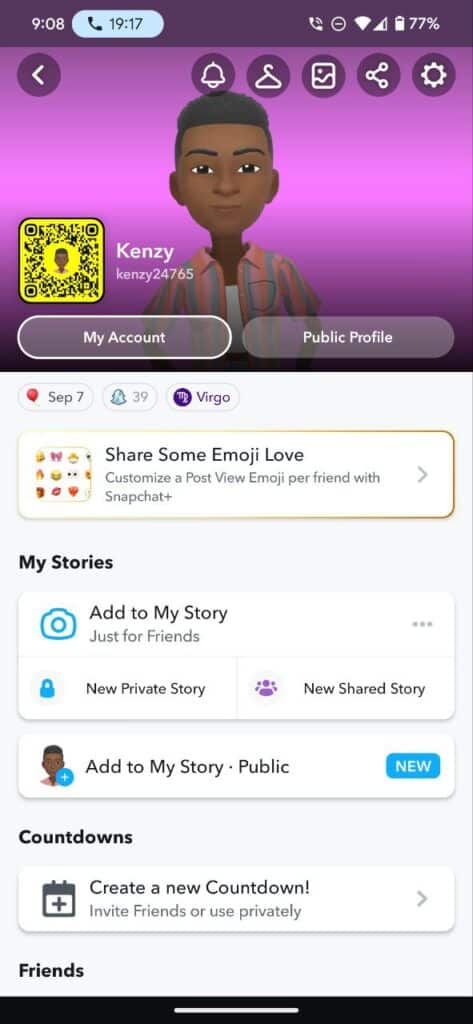
- Tap on your profile avatar and click on the gear icon.
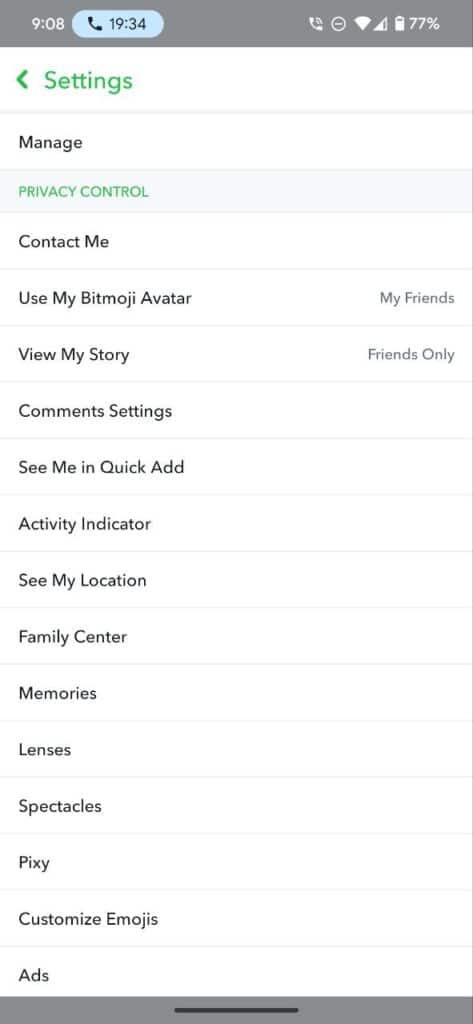
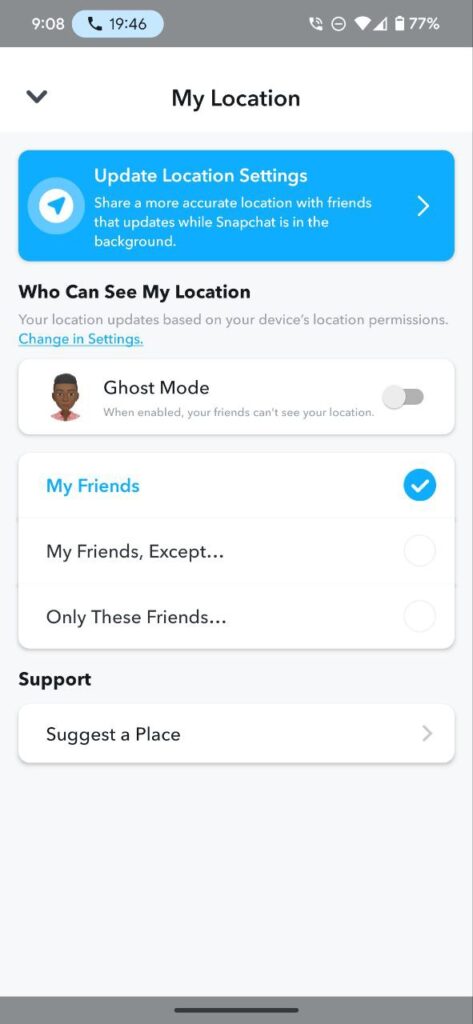
- Scroll down to Privacy Control and tap See My Location.
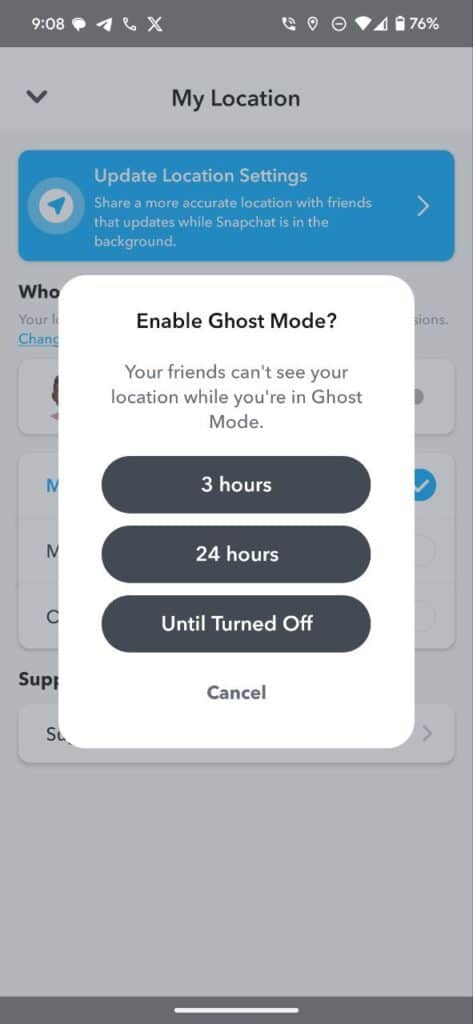
- Toggle Ghost Mode off.
- There’s an option to remain in that mode until you turn it off, or you can select the duration you want it turned on.
- Of course, if you disable location access for Snapchat, it will stop displaying your whereabouts, and you can learn how to do that here.
Fake your Snapchat location using a VPN
While the above option allows you to turn off your location entirely or perhaps hide it from your friends, using a VPN will make them think you are in another region. VPNs let you change your IP address to another country, and that will convince Snapchat that you are in the region.
There are many options to choose from, but we recommend Windscribe. It has both free and paid versions. The former comes with a 10 GB monthly data cap, which is enough for all your Snapchat activities. However, only a few IPs will be available unless you paid for their premium package.
- Head to the Play Store or App Store and search for Windscribe.
- Install the app and register using an email.
- You will get a confirmation message, to verify your account by clicking on the link.
- Now, Launch the app and select any of the free IPs.
- Once connected, the switch button will turn green, and there will be an icon on your notification centre.
Use Location change to Fake Snapchat location
Many apps allow you to change your GPS Location, but I recommend Fake GPS Location Spoofer. It’s reliable and has all the features to successfully change your Snapchat location. However, installing it on your phone isn’t straightforward and might only work on Android. Below are the steps involved.
After installing the app on your Android device, follow the steps below to change your location.
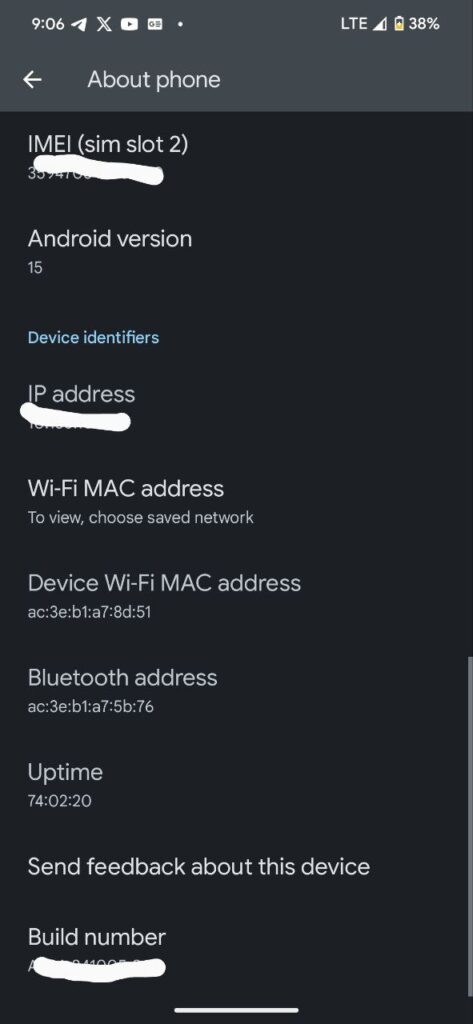
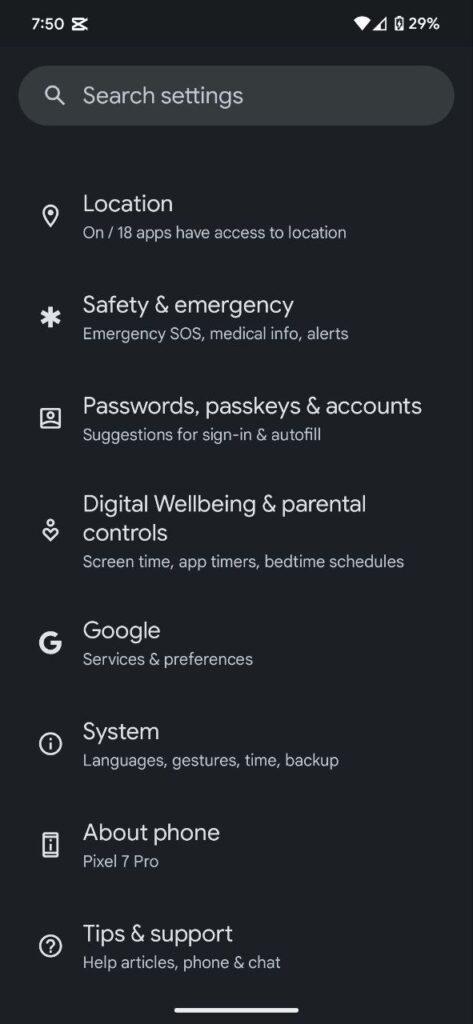
- Step 1. Enable Developer options: Head to your phone Settings and scroll down to About Phone. Tap on it and then scroll to the Build number. There, tap on it multiple times until you become a developer.
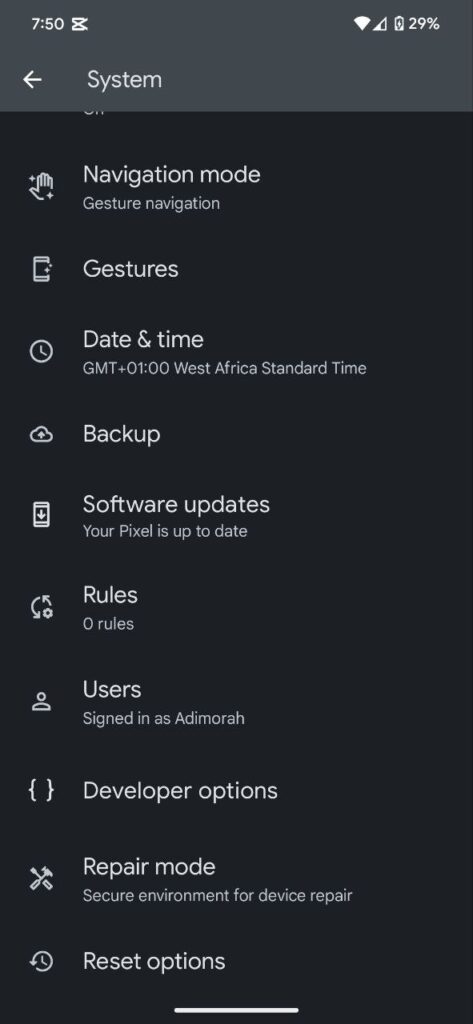
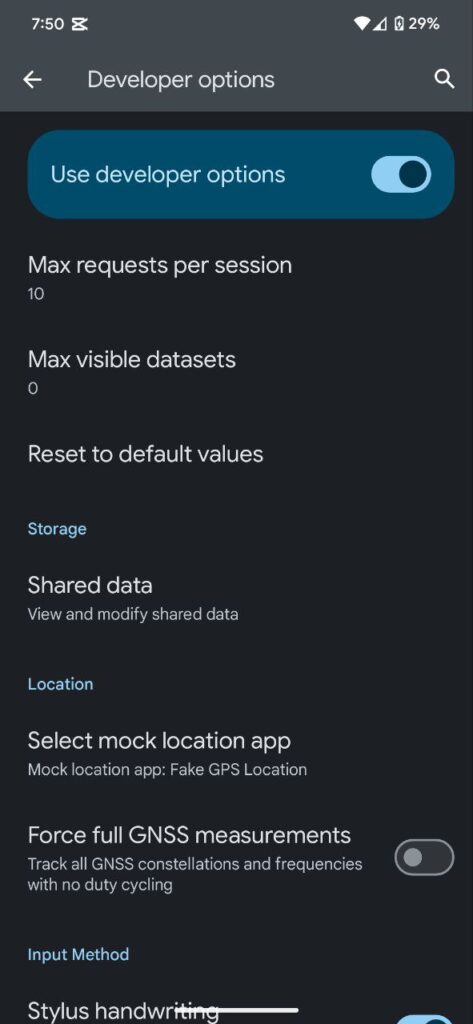
- Step 2. Go back to Settings, then System>>Developer option. Depending on your device, it might be Settings >>Developer option.
- Step 3. Scroll down and Select Mock Location App Settings. Select the Fake GPS Location you installed
- Step 4. Launch the app and choose the location you want. You might be asked to allow location access tap Allow.
Conclusion
Unless you want to see people from other regions or bypass Snapchat restrictions, we recommend using ghost mode instead of installing many apps on your device. Some of these apps might steal your data, and hence, it’s better to use apps with in-built features when necessary.
